Platform
Everything a class needs, in one place
Classwork, homework, practice, feedback, and family updates, with each student's supports built into all of it. For Elementary, Middle, and High School.
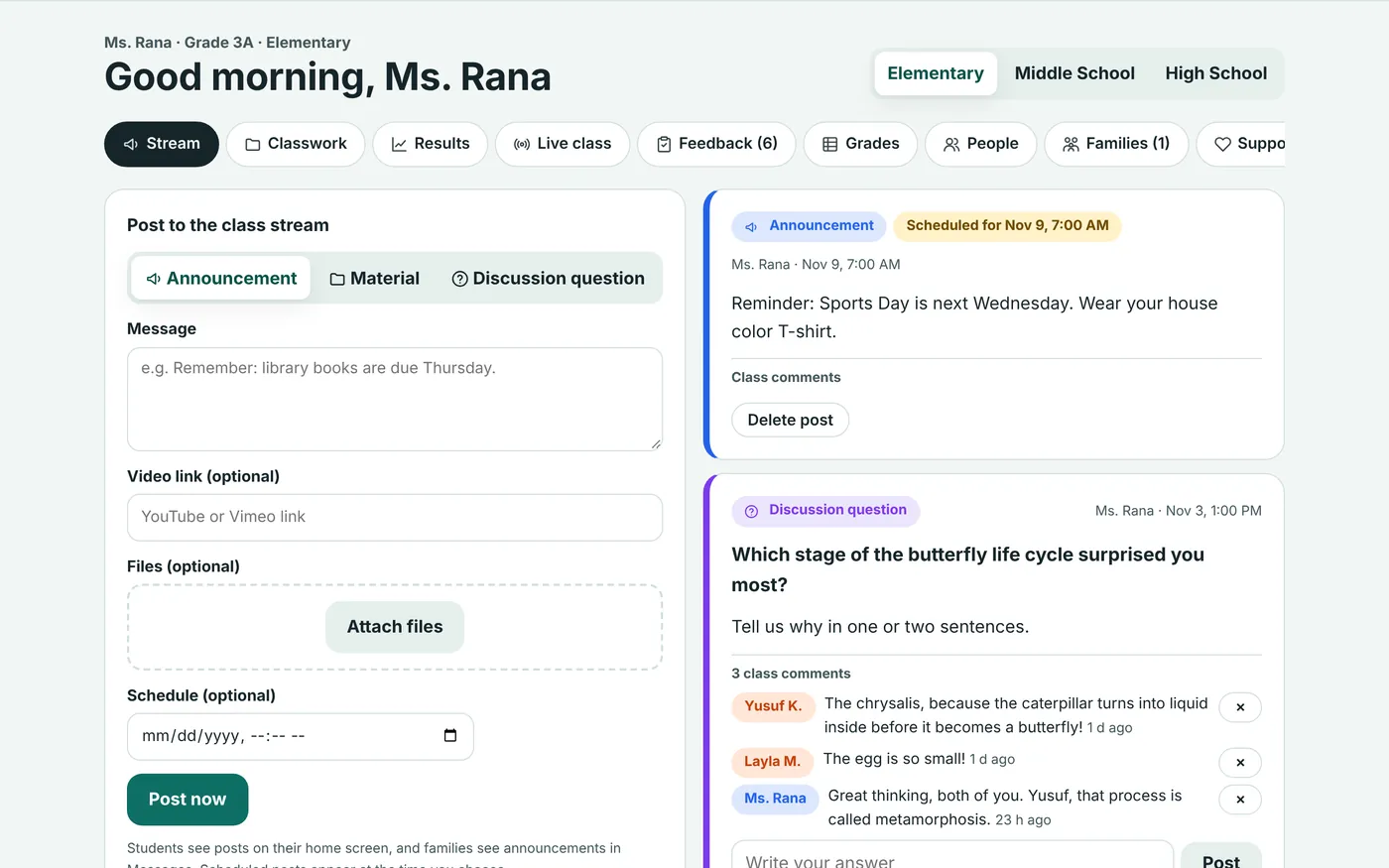
Stream and classwork
Post announcements, schedule them for later, and discuss questions with the class. Organize tasks, quizzes, and materials by unit, and assign them to the whole class or chosen students.
- Scheduled posts and class comments
- Materials with files, links, and video
- A template every student gets their own copy of
- Answer types the teacher chooses: typing, speech, drawing, photo, voice, video, or file
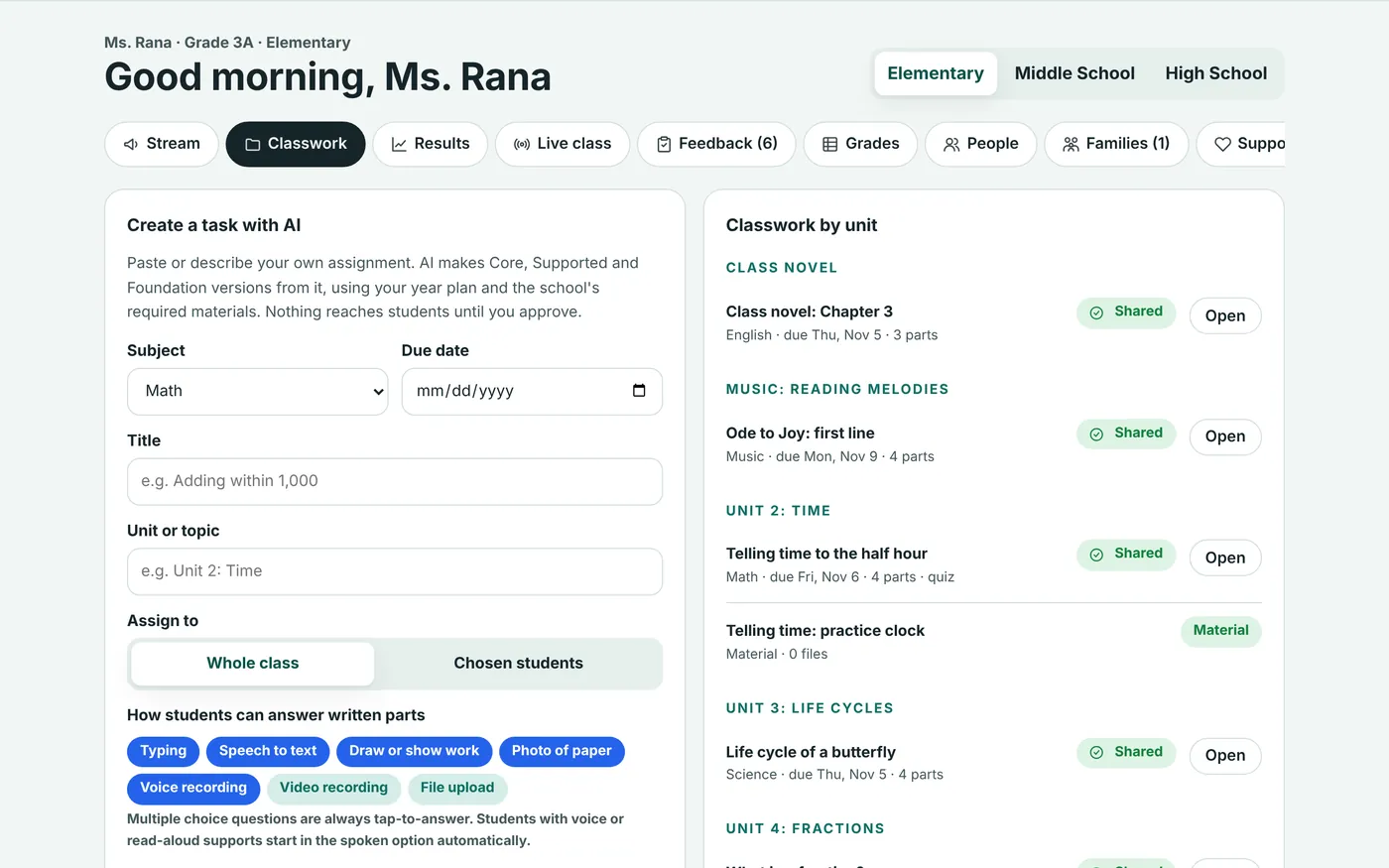
Three levels of every task, from the teacher's own file
Paste a lesson or upload a worksheet. AI drafts Core, Supported, and Foundation versions using the school's curriculum and required materials. The teacher edits and approves. Students never see a level label.
- Uses only the school's plan, the teacher's files, and required textbooks
- Videos and files attach to every level
- Catch-up tasks for students who needed help, drafted in one click
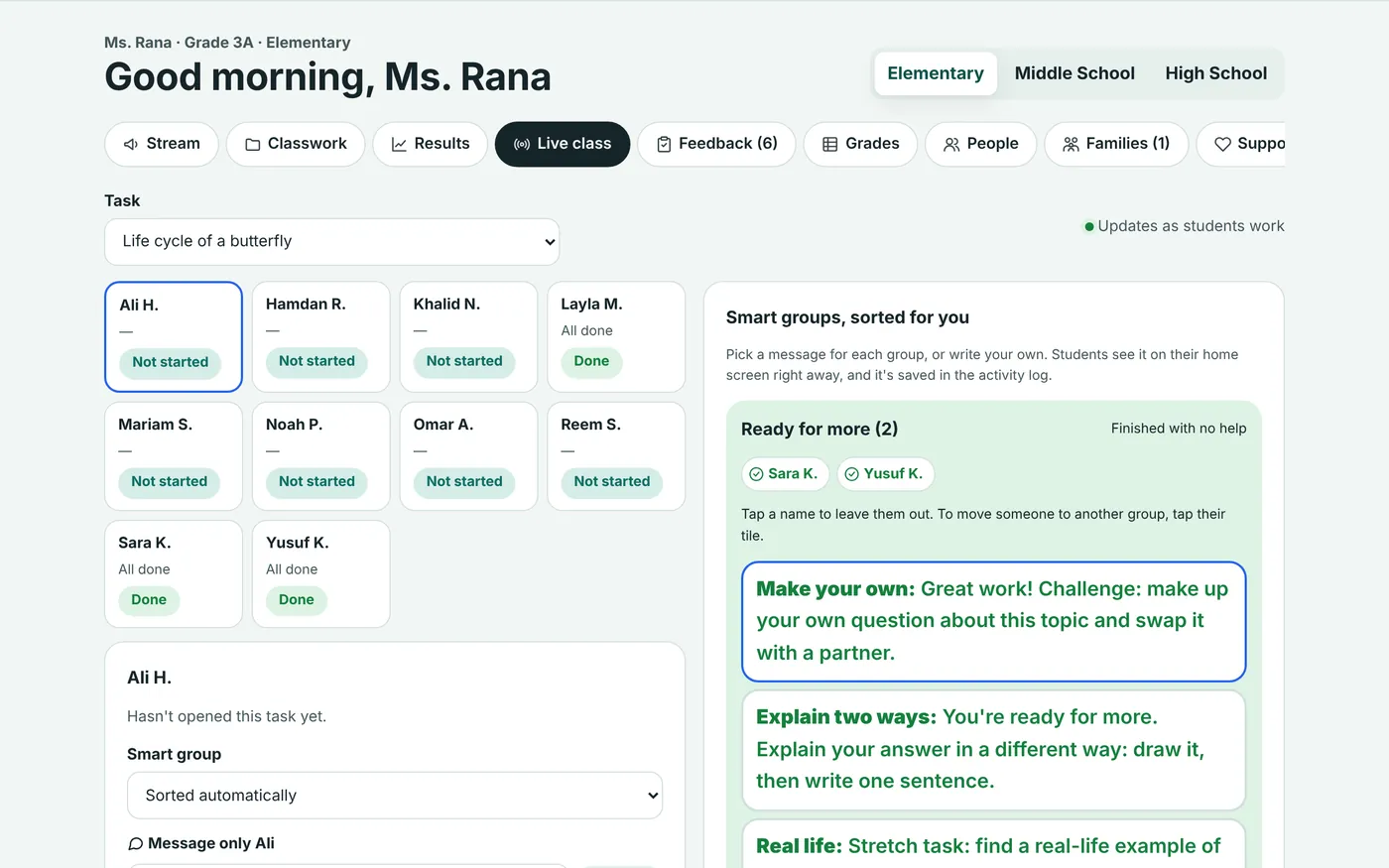
A live view of the whole class
See where every student is, who asked for help, and who has gone quiet. Students are sorted into smart groups automatically, and the teacher picks a message for each group or writes their own.
- Ready for more, on track, quick reteach, and needs you
- Tick or untick students, or move them to another group
- Message one student from their tile
- Wellbeing concerns show immediately
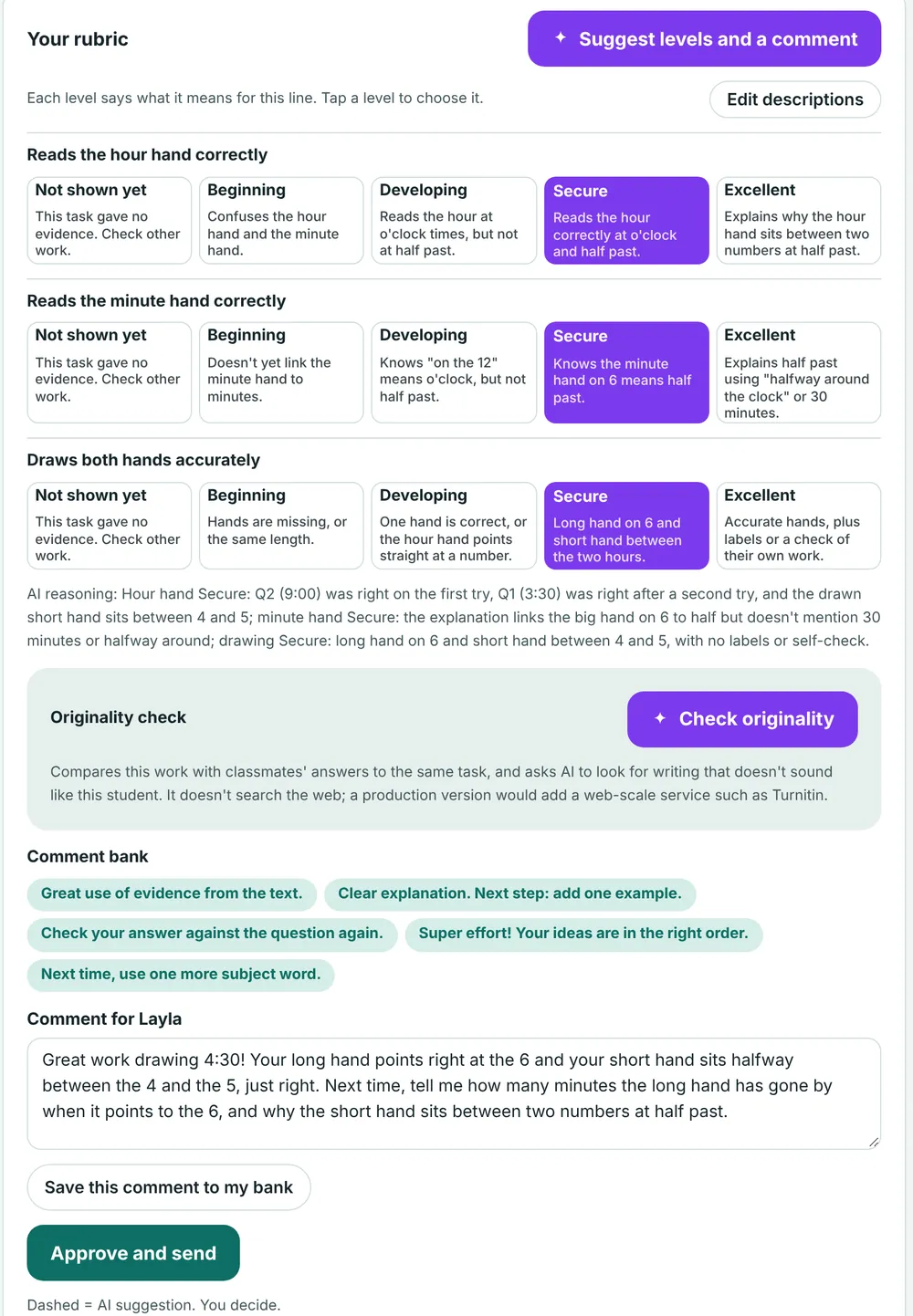
Feedback that uses all of the evidence
Mark with your own rubric. Each level says what it means for that line. AI suggests levels from multiple-choice results, written answers, drawings, and photos, with a one-line reason. The teacher decides.
- "Not shown yet" when a task gave no evidence
- A reusable comment bank
- Changes a student made before marking are listed
- Originality check against classmates' work
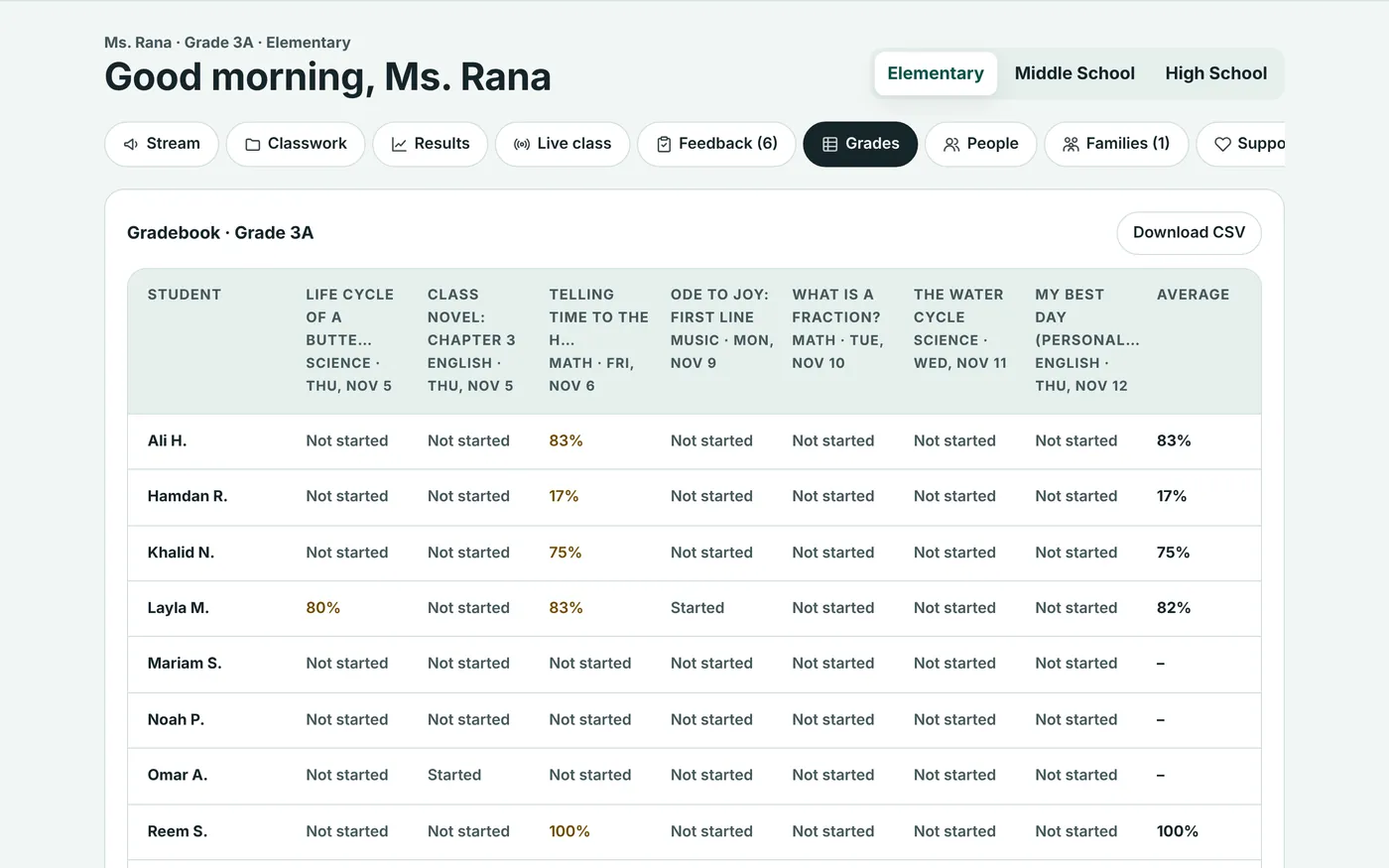
A gradebook that's fair to differentiated work
Every score is out of the version the student was given, so a Foundation task is graded fairly. Rubric averages appear once work is checked, and the whole gradebook downloads as CSV.
- Missing only after the due date
- Late work flagged
- Student at a glance: progress, supports, practice, and how tasks felt
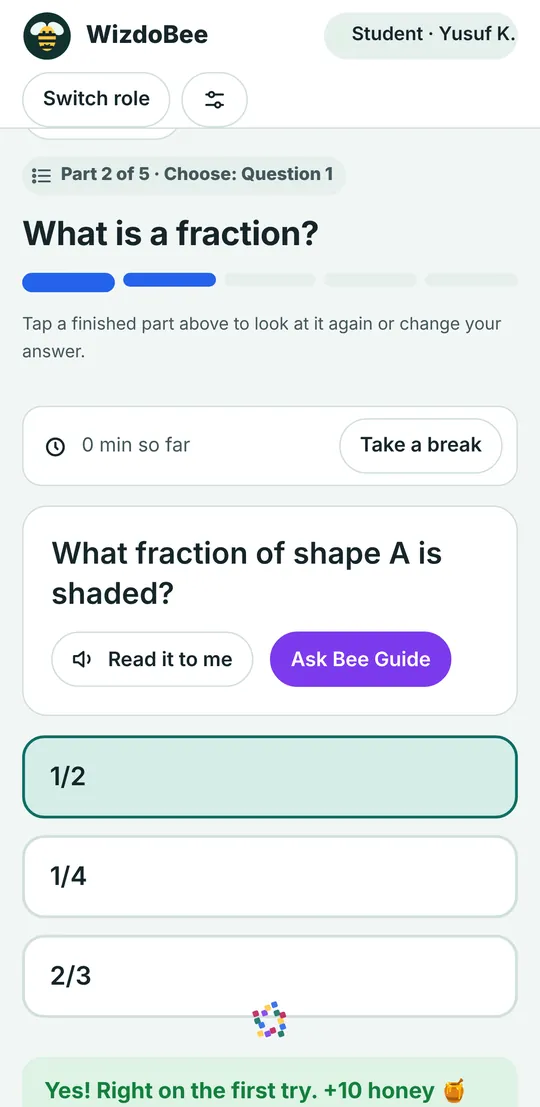
Homework students can finish on their own
Tasks come one part at a time. The timer starts when the student is ready and pauses when they step away. Students can go back and change an answer until the teacher checks it, and every change is logged.
- Read-along with each word highlighted
- Draw on a clock, show working, or record a voice or video answer
- The Bee Guide gives hints, reads them aloud in its own voice, and never gives the answer
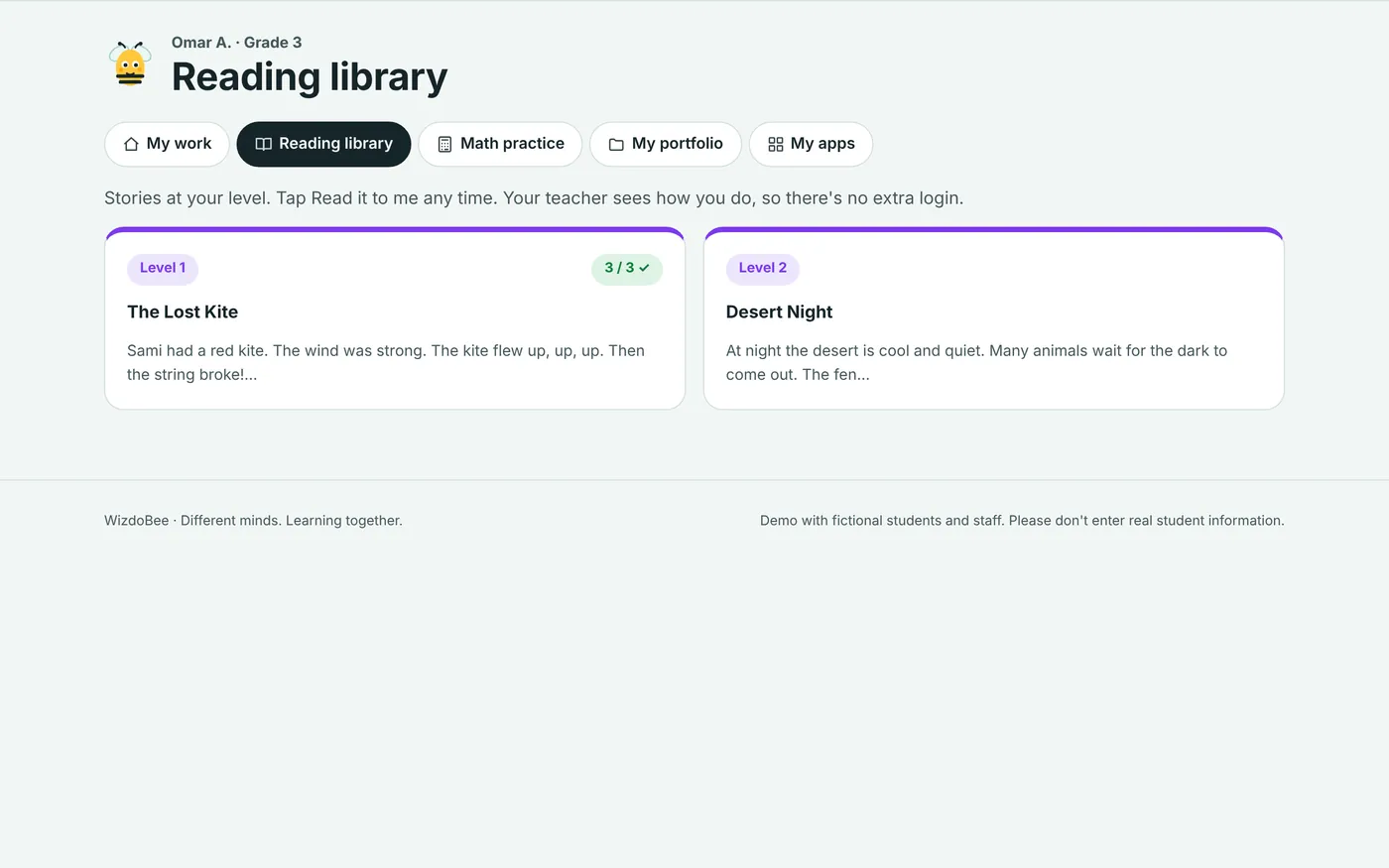
Practice and games, with one sign-in
Students don't need separate apps for reading, math, and times tables. Practice uses the same supports as classwork, and teachers see the results.
- Reading library with leveled stories, read-along, and quizzes
- Adaptive math that levels up after three right in a row
- Times tables sprint, untimed for students who need it
- A portfolio of drawings, photos, and recordings, shared with families
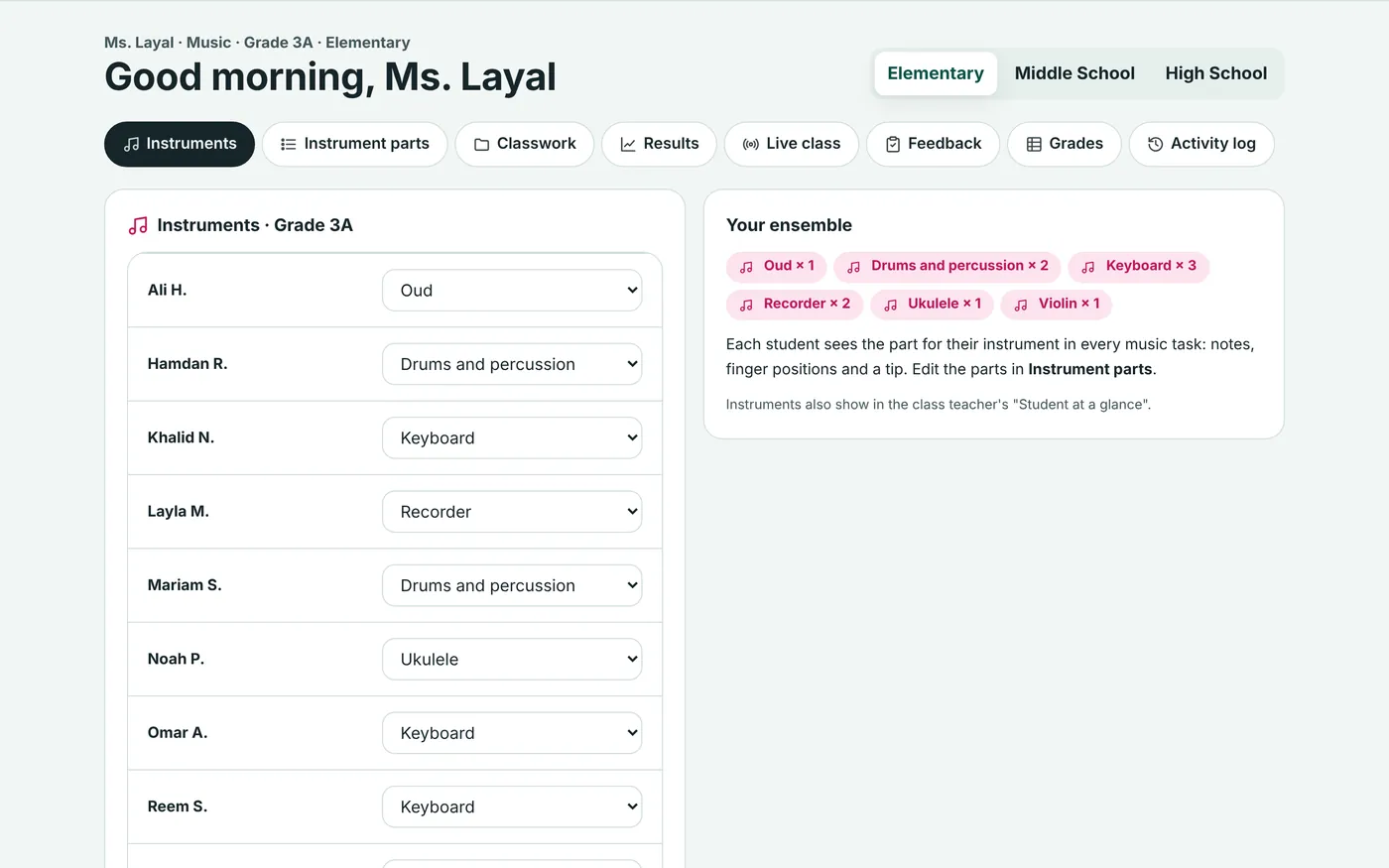
Music, by instrument
Music teachers assign each student an instrument and edit the part each instrument plays. The app plays the tune itself, lights up the notes, and keeps time with a metronome.
- Recorder, keyboard, ukulele, violin, guitar, oud, drums, or voice
- Students record themselves playing
- Teachers choose whether students can change instrument
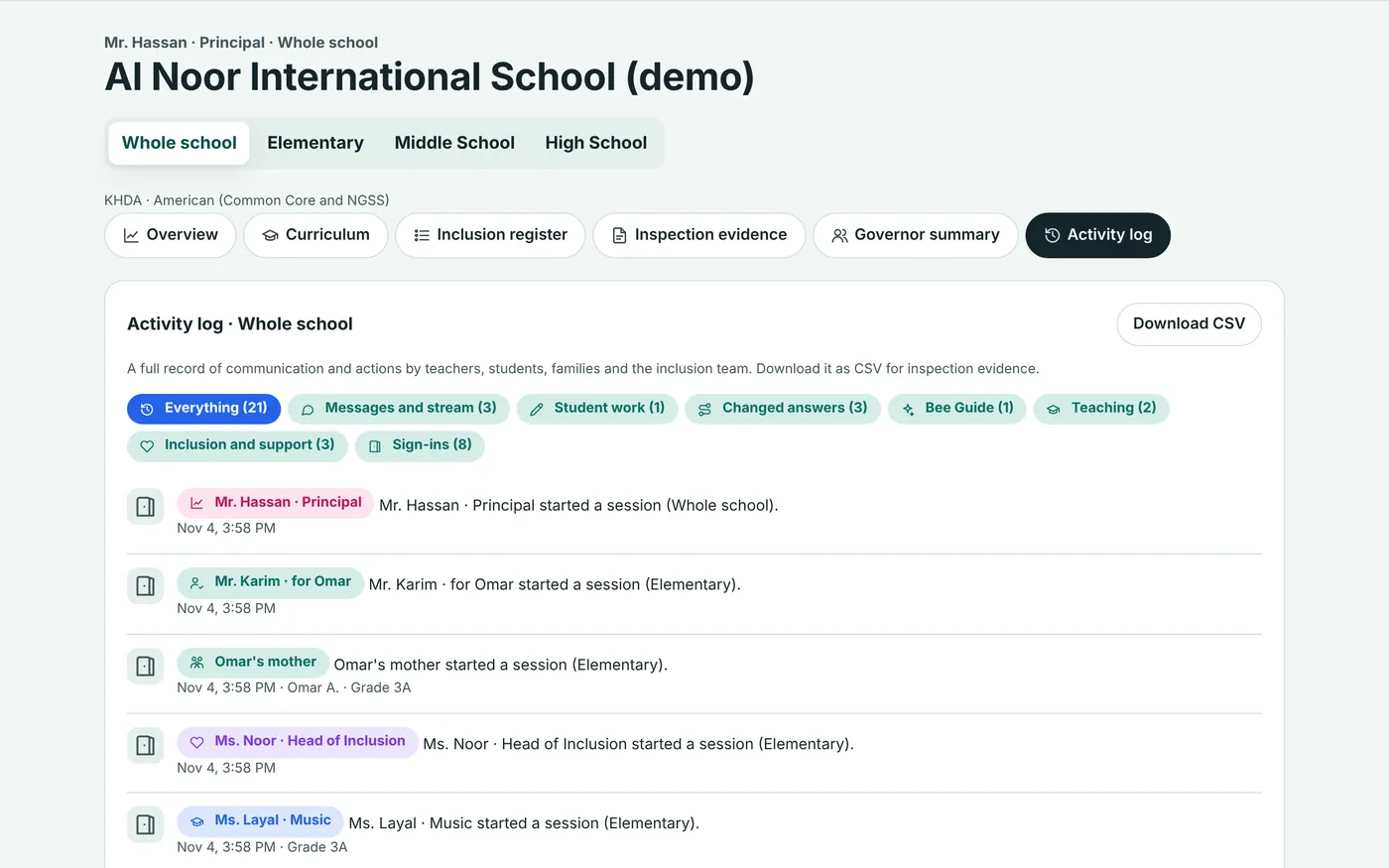
Every message and action, logged
Messages, posts, hand-ins, changed answers, Bee Guide questions, and every teacher and inclusion action are recorded. Leaders see the whole school, teachers see their class, and families see their child.
- Filter by type, or download as CSV
- Useful as inspection evidence
- Families see their child's history
Every task feeds the student's record
Nothing is isolated. The plan shapes the task, the task produces evidence, and the evidence updates the plan. Families see the result the same evening.
- Teacher approves the task
- Each student's supports switch on
- Student works, with hints
- Results and supports used are captured
- IEP goal progress updates
- Family gets the evening summary
- Catch-up drafted for anyone who needed help
WizdoBee compared with the platforms schools use today
Classroom apps, family apps, and portfolio apps each cover part of a school day. WizdoBee covers all of it, and adds the inclusion work none of them do.
| Feature | WizdoBee | Google Classroom | Microsoft Teams | Seesaw | Toddle | ClassDojo |
|---|---|---|---|---|---|---|
| Class stream, classwork by unit, and a gradebook | Yes | Yes | Yes | Partly | Yes | – |
| Rubrics and feedback on student work | Yes | Yes | Yes | Yes | Yes | – |
| Portfolio of drawings, photos, voice, and video | Yes | – | – | Yes | Yes | Yes |
| Two-way messages with families | Yes | Partly | – | Yes | Yes | Yes |
| Family messages in Arabic | Yes | – | – | Yes | – | Yes |
| Built for Elementary through High School | Yes | Yes | Yes | – | Yes | – |
| AI help to draft or level tasks | Yes | Partly | Partly | Partly | Partly | – |
| Reading and math practice built in | Yes | – | Partly | Partly | – | – |
| Each student's supports applied to every task automatically | Yes | – | – | – | – | – |
| Three levels of every task, from the teacher's own file | Yes | – | – | – | – | – |
| Live class view that groups students by how they're doing | Yes | – | – | – | – | – |
| Learner Passports, IEPs, and the inclusion register | Yes | – | – | Partly | – | – |
| Wellbeing alerts sent to named staff | Yes | – | Partly | – | – | – |
| Evidence for UAE inspections | Yes | – | – | – | Partly | – |
- "Partly" for Google Classroom: email summaries for guardians rather than two-way messages; AI drafting tools vary by Google Workspace plan.
- "Partly" for Microsoft Teams: Learning Accelerators such as Reading Coach and Math Progress, and Reflect check-ins in Education Insights.
- "Partly" for Seesaw: Seesaw is built for PreK to Grade 6, with assignments and portfolios rather than a full gradebook, with ready-made activities for IEPs, AI lesson and leveled-passage tools, and reading fluency practice.
- "Partly" for Toddle: an AI teaching assistant and an accreditation module with KHDA standards for evidence.
- A dash means the feature isn't in that platform's published feature pages. Based on each company's own pages, November 2026. Features change often, so check with each provider.
Try it as a student, a teacher, or a parent
The demo runs with fictional students in Grade 3, 7, and 10. Ask us for a login, or book a guided walkthrough.